Tuxler VPN Extension: How It Works, Setup, and What to Know
Learn what the Tuxler VPN extension does, how to install it, and how its Chrome and Firefox versions differ from the desktop app.
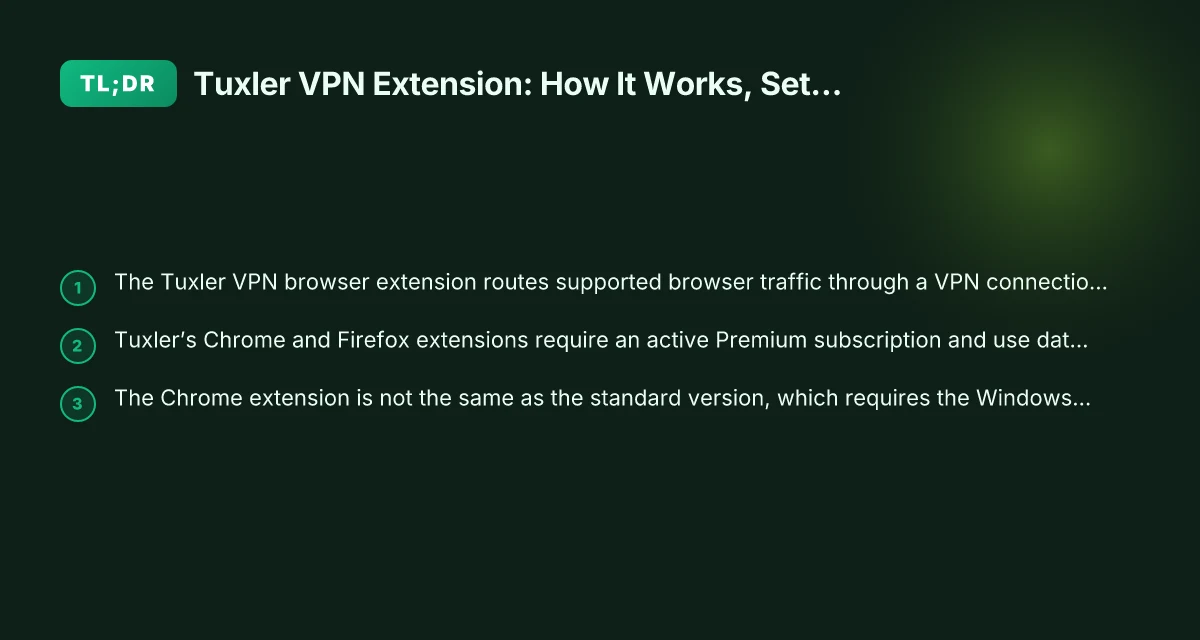
The Tuxler VPN extension is a browser add-on for routing supported Chrome or Firefox traffic through a VPN connection. Tuxler describes its service as a residential VPN with worldwide connectivity, but its browser extensions have specific requirements: the Chrome version requires Premium and uses data-center locations. If you are deciding whether to install it, check which version you need, what traffic it covers, and how the desktop app differs.

Editor's pick: NordVPN — fast, secure VPN — Strong encryption, a no-logs policy and apps for every device. 30-day money-back guarantee. Get NordVPN →
Tuxler extension vs. desktop app
| Comparison point | Browser extension | Desktop app |
|---|---|---|
| Runs in | Supported browser | Computer |
| Traffic coverage | Browser traffic | Device traffic |
| Browser required | Yes | No |
| Setup location | Browser’s extension store | Tuxler’s app installer |
| Best suited for | Browser-only use | Broader device use |
| Connection options | Tuxler network | Tuxler network |
| Availability details | Check browser compatibility | Check operating-system compatibility |
Compiled November 2026; check the provider's site for current details.
| VPN | Obfuscation | From / month | Plan | Free plan | Refund | Alipay | UnionPay | Crypto | Website opens in China | Trustpilot | |
|---|---|---|---|---|---|---|---|---|---|---|---|
 ZoogVPN | Turn on manually Shadow | $2.49/mo | 27 months: $59.99 | Yes | 7 days | ✓ | ✓ | ✓ | ✓ | Official site blocked; our special link opens (4.4 s) | 4.2/5 (195 reviews) |
 NordVPN | Turn on manually Obfuscated Servers / NordWhisper | $3.49/mo | 27 months: $94.23 | No | 30 days | ? | ✗ | ✓ | ✓ | ✗ Blocked | 4.2/5 (51,628 reviews) |
 ExpressVPN | ✓ On by default all servers | $3.00/mo | 28 months: $84 | No | 30 days | ✗ | ✗ | ✓ | ✗ | ✗ Blocked | 4.4/5 (29,706 reviews) |
 Surfshark | ✓ On by default Camouflage, with OpenVPN | See site | See site | No | 30 days | ✗ | ✗ | ✗ | ✓ | ✗ Blocked | 4.3/5 (31,823 reviews) |
 Proton VPN | Turn on manually Stealth, free plan too | $2.99/mo | 12 months: $35.88 | Yes | 30 days | ✗ | ✗ | ✗ | ✓ | ✗ Blocked | 2.1/5 (1,040 reviews) |
 Astrill VPN | Turn on manually StealthVPN / OpenWeb | $12.50/mo | 24 months: $300 | No | See site | ✗ | ✗ | ✗ | ✓ | ✗ Blocked | 1.3/5 (110 reviews) |
 Private Internet Access | Turn on manually Shadowsocks, OpenVPN only | $2.03/mo | 40 months: $81.2 | No | 30 days | ✗ | ✗ | ✗ | ✗ | ✗ Blocked | 4.2/5 (11,033 reviews) |
 CyberGhost | Turn on manually selected servers | $2.19/mo | 28 months: $61.32 | No | 45 days | ✗ | ✗ | ✗ | ✓ | ✗ Blocked | 4.0/5 (24,178 reviews) |
 PureVPN | Turn on manually switch to OpenVPN | $1.69/mo | 60 months: $101.55 | No | 31 days | ? | ? | ✗ | ✓ | ✗ Blocked | 4.4/5 (17,994 reviews) |
 AdGuard VPN | ✓ On by default TrustTunnel | $2.99/mo | 24 months: $71.76 | Yes | 30 days | ✓ | ✗ | ✓ | ✓ | Official site blocked; our special link opens (3.7 s) | 4.3/5 (290 reviews) |
 Mullvad | Turn on manually QUIC / Shadowsocks / LWO | $5.61/mo | €5/mo | No | 14 days | ✗ | ✗ | ✗ | ✓ | ✗ Blocked | 3.2/5 (192 reviews) |
 Windscribe | Turn on manually Stealth / WStunnel | $5.75/mo | 12 months: $69 | Yes | See site | ✗ | ✗ | ✗ | ✓ | ✗ Blocked | 4.7/5 (13,355 reviews) |
 StrongVPN | Turn on manually Scramble, OpenVPN TCP | See site | See site | No | 30 days | ✓ | ✗ | ✗ | ✗ | ✗ Blocked | 4.4/5 (2,695 reviews) |
 LightXtreme 闪连 | Not listed | $7.08/mo | 12 months: $84.99 | Yes | 30 days | ✓ | ✓ | ✓ | ✓ | ✓ Yes (3.5 s) | No page |
Prices checked 2026-11-10 on each vendor's pricing page (cheapest long plan, USD). Check the vendor's checkout for the final price.
Obfuscation checked 2026-11-14 on each vendor's site and help center: "on by default" = nothing to set; "turn on manually" = switch protocol or mode in settings; "not listed" = the vendor describes no obfuscation.
Payment methods checked 2026-11-10 on each vendor's payment pages: all 14 take cards and PayPal; ✗ = not listed, ? = the vendor's own pages disagree.
China access: whether the official website opens from mainland China networks (tests the website only, not the VPN connection). Last checked 2026-11-18 01:02 Beijing time.
Trustpilot score and review count checked 2026-11-10.
What the Tuxler VPN extension does
Tuxler offers browser extensions for Chrome and Firefox alongside its Windows desktop app. The extensions are designed to connect browser traffic through supported locations. They do not necessarily protect all internet traffic from your device.
Tuxler’s service promotes a community-powered residential VPN network and a choice of locations across supported countries. However, the extension-specific details matter: Tuxler’s installation information says its Chrome extension uses a data-center connection, rather than the residential connection associated with the service’s broader offering.
That distinction can affect whether the extension suits your needs. Before installing, read the current listing and Tuxler’s setup instructions so you know which connection type and locations are available to your account.
Requirements and connection coverage
The Chrome extension requires an active Premium subscription, according to Tuxler’s installation instructions. Tuxler’s Firefox download page also says an active Premium subscription is required and describes connections through supported data-center locations. IPsec VPN: How It Works, Benefits, and When to Use It
The Chrome extension routes supported Chrome traffic only. It should not be treated as a device-wide VPN: other browsers and apps may connect outside the extension’s tunnel. If you want broader device coverage, check Tuxler’s Windows desktop app details instead.
Keep these points in mind:
- Subscription: Premium is required for the browser extensions, according to Tuxler.
- Location type: The extension instructions specify supported data-center locations.
- Coverage: The Chrome extension applies to supported Chrome traffic, not automatically to every app on your device.
- Platform: The standard Chrome version requires the Windows desktop app, while the Premium browser extension is a separate option.
Tuxler VPN extension setup checklist
| Step | What to do | What to check |
|---|---|---|
| 1 | Choose a supported browser | Confirm compatibility |
| 2 | Find the extension | Use the browser’s extension store |
| 3 | Review the listing | Check publisher and permissions |
| 4 | Install the extension | Approve the browser prompt |
| 5 | Open Tuxler | Sign in or follow setup prompts |
| 6 | Connect | Choose an available location |
| 7 | Verify the connection | Check the extension’s status |
| 8 | Test your use case | Confirm the intended traffic is covered |
Compiled November 2026; check the provider's site for current details. Urban VPN Extension for Edge: How to Install and Use It
Tuxler extension vs. desktop app
The right choice depends on whether you want to route browser traffic or use Tuxler through its desktop software. Tuxler describes its wider service as offering residential connectivity and support for Windows, Chrome, and Firefox. The browser extension documentation, however, specifies data-center connections.
| Option | What Tuxler says it does | Key consideration |
|---|---|---|
| Chrome extension | Connects supported Chrome traffic through supported data-center locations | Requires Premium; does not cover all device traffic |
| Firefox extension | Connects through supported data-center locations | Requires Premium |
| Standard Chrome version | Uses the Windows desktop app | Not the same as the Premium browser extension |
| Tuxler service overall | Offers residential VPN connectivity and locations across supported countries | Check the specific product and connection type before choosing |
This comparison is especially important if you searched for a “residential VPN extension.” The service’s general residential VPN description does not mean every browser extension connection is residential. Confirm the details for the exact version you plan to use.
How to install the Tuxler VPN extension
For Chrome, start from Tuxler’s official Chrome extension page or its installation guide. Review the current requirements, then follow the prompts to add the extension through the Chrome Web Store. Sign in or activate Premium if prompted, and choose from the locations available to your account.
For Firefox, use Tuxler’s official Firefox download page and follow its installation steps. The page states that Premium is required and that the extension connects through supported data-center locations. Urban VPN Proxy: What It Does, Where It Works, and What to Consider
After installation:
- Open the extension from your browser toolbar.
- Sign in or complete any subscription prompts.
- Select an available location and connect.
- Check that the connection is active before using the browser for your intended task.
- Disconnect when you no longer need the VPN connection.
Only install the extension from a trusted, official source. Browser extensions can request permissions to work, so review the permissions shown during installation and decide whether they fit your comfort level.
Privacy and safety considerations
A VPN changes how traffic is routed, but it does not make every online activity anonymous or automatically secure. Review Tuxler’s current privacy policy and terms to understand how the service handles connection data, account information, and any network-sharing features.
Some users have raised concerns online about whether a residential VPN could involve other people using a member’s IP address. A user report is not proof of how a service currently operates, so do not rely on forum posts alone. Check Tuxler’s current official documentation for how its network works and whether sharing or peer connections apply to the specific product you plan to use. VPN Microsoft Edge: How to Enable It and Choose the Right Option
Before connecting, consider:
- Whether you need a browser-only connection or coverage for your whole device.
- Whether a data-center location meets your needs.
- What permissions the extension requests.
- Whether the service’s privacy terms clearly answer your questions.
Tuxler extension decision checklist
| Factor | What to consider | Decision cue |
|---|---|---|
| Coverage | Extension protects browser traffic | Choose it for browser-only use |
| Device-wide needs | Other apps may need protection | Consider the desktop app |
| Compatibility | Browser support can vary | Check before installing |
| Permissions | Review what the extension can access | Install only if acceptable |
| Privacy | Understand the service’s data practices | Read current privacy terms |
| Connection needs | Available locations can vary | Check options in the extension |
| Safety | A VPN does not prevent every online risk | Keep other security practices |
| Best next step | Match coverage and policies to your needs | Use only if they meet your requirements |
Compiled November 2026; check the provider's site for current details.
Recommendation
The Tuxler VPN extension may suit you if you specifically want a browser-based connection and have Premium. Choose it with clear expectations: Tuxler’s extension instructions describe data-center locations, and the Chrome add-on covers supported browser traffic rather than your entire device. If you need residential connectivity or broader coverage, compare the desktop app and the service’s current product details before installing. HKMC RNDVPN Hyundai Net: Access, Sign-In, and Troubleshooting