Turn Off Microsoft Edge VPN: Disable Secure Network Step by Step
Turn off Microsoft Edge Secure Network in Settings, from its toolbar control, or through your organization’s IT administrator.
To turn off the Microsoft Edge VPN, open Edge, go to Settings and more (…) > Settings > Privacy, search, and services, find Microsoft Edge Secure Network, and switch it off. If you see a Secure Network button in the toolbar, you may also be able to disable the feature there. Secure Network is Edge’s built-in privacy feature. It is separate from VPN apps or services installed elsewhere on your device.

Editor's pick: NordVPN — fast, secure VPN — Strong encryption, a no-logs policy and apps for every device. 30-day money-back guarantee. Get NordVPN →
Compare ways to turn off Edge Secure Network
| Method | Where to start | What to do | Best for | If the option is missing |
|---|---|---|---|---|
| Edge Settings | Edge menu | Open Settings and find Secure Network | Changing settings deliberately | Check whether the feature is available |
| Toolbar | Edge toolbar | Open Secure Network and switch it off | A quick change | Look in Settings instead |
| Settings search | Settings search box | Search for Secure Network | Finding the setting quickly | Use the settings menus |
| Managed device | Edge settings | Check for a management notice | Work or school devices | Contact your administrator |
| Unavailable feature | Edge settings | Check whether Secure Network is offered | Regions or accounts without access | Use another privacy option |
| After switching off | Secure Network status | Confirm it shows as off | Verifying the change | Reopen the setting and check again |
Compiled November 2026; check the provider's site for current details.
| VPN | Obfuscation | From / month | Plan | Free plan | Refund | Alipay | UnionPay | Crypto | Website opens in China | Trustpilot | |
|---|---|---|---|---|---|---|---|---|---|---|---|
 ZoogVPN | Turn on manually Shadow | $2.49/mo | 27 months: $59.99 | Yes | 7 days | ✓ | ✓ | ✓ | ✓ | Official site blocked; our special link opens (4.4 s) | 4.2/5 (195 reviews) |
 NordVPN | Turn on manually Obfuscated Servers / NordWhisper | $3.49/mo | 27 months: $94.23 | No | 30 days | ? | ✗ | ✓ | ✓ | ✗ Blocked | 4.2/5 (51,628 reviews) |
 ExpressVPN | ✓ On by default all servers | $3.00/mo | 28 months: $84 | No | 30 days | ✗ | ✗ | ✓ | ✗ | ✗ Blocked | 4.4/5 (29,706 reviews) |
 Surfshark | ✓ On by default Camouflage, with OpenVPN | See site | See site | No | 30 days | ✗ | ✗ | ✗ | ✓ | ✗ Blocked | 4.3/5 (31,823 reviews) |
 Proton VPN | Turn on manually Stealth, free plan too | $2.99/mo | 12 months: $35.88 | Yes | 30 days | ✗ | ✗ | ✗ | ✓ | ✗ Blocked | 2.1/5 (1,040 reviews) |
 Astrill VPN | Turn on manually StealthVPN / OpenWeb | $12.50/mo | 24 months: $300 | No | See site | ✗ | ✗ | ✗ | ✓ | ✗ Blocked | 1.3/5 (110 reviews) |
 Private Internet Access | Turn on manually Shadowsocks, OpenVPN only | $2.03/mo | 40 months: $81.2 | No | 30 days | ✗ | ✗ | ✗ | ✗ | ✗ Blocked | 4.2/5 (11,033 reviews) |
 CyberGhost | Turn on manually selected servers | $2.19/mo | 28 months: $61.32 | No | 45 days | ✗ | ✗ | ✗ | ✓ | ✗ Blocked | 4.0/5 (24,178 reviews) |
 PureVPN | Turn on manually switch to OpenVPN | $1.69/mo | 60 months: $101.55 | No | 31 days | ? | ? | ✗ | ✓ | ✗ Blocked | 4.4/5 (17,994 reviews) |
 AdGuard VPN | ✓ On by default TrustTunnel | $2.99/mo | 24 months: $71.76 | Yes | 30 days | ✓ | ✗ | ✓ | ✓ | Official site blocked; our special link opens (3.7 s) | 4.3/5 (290 reviews) |
 Mullvad | Turn on manually QUIC / Shadowsocks / LWO | $5.61/mo | €5/mo | No | 14 days | ✗ | ✗ | ✗ | ✓ | ✗ Blocked | 3.2/5 (192 reviews) |
 Windscribe | Turn on manually Stealth / WStunnel | $5.75/mo | 12 months: $69 | Yes | See site | ✗ | ✗ | ✗ | ✓ | ✗ Blocked | 4.7/5 (13,355 reviews) |
 StrongVPN | Turn on manually Scramble, OpenVPN TCP | See site | See site | No | 30 days | ✓ | ✗ | ✗ | ✗ | ✗ Blocked | 4.4/5 (2,695 reviews) |
 LightXtreme 闪连 | Not listed | $7.08/mo | 12 months: $84.99 | Yes | 30 days | ✓ | ✓ | ✓ | ✓ | ✓ Yes (3.5 s) | No page |
Prices checked 2026-11-10 on each vendor's pricing page (cheapest long plan, USD). Check the vendor's checkout for the final price.
Obfuscation checked 2026-11-14 on each vendor's site and help center: "on by default" = nothing to set; "turn on manually" = switch protocol or mode in settings; "not listed" = the vendor describes no obfuscation.
Payment methods checked 2026-11-10 on each vendor's payment pages: all 14 take cards and PayPal; ✗ = not listed, ? = the vendor's own pages disagree.
China access: whether the official website opens from mainland China networks (tests the website only, not the VPN connection). Last checked 2026-11-18 01:02 Beijing time.
Trustpilot score and review count checked 2026-11-10.
Turn off Secure Network in Edge Settings
The setting’s location or label can vary slightly by Edge version. Use these steps as a starting point:
- Open Microsoft Edge.
- Select the three-dot menu (…) in the upper-right corner.
- Choose Settings.
- Open Privacy, search, and services.
- Find the Microsoft Edge Secure Network section.
- Turn Secure Network off.
If you cannot find the setting, use the search box at the top of Settings. Search for Secure Network or VPN. You can also enter edge://settings/privacy in the address bar to open Edge’s privacy settings, then look for the Secure Network controls.
After switching it off, check the feature’s status if Edge displays one. If you are using another VPN app or have a VPN configured in your operating system, that connection may remain active. Turning off Edge Secure Network does not necessarily disconnect those other services.
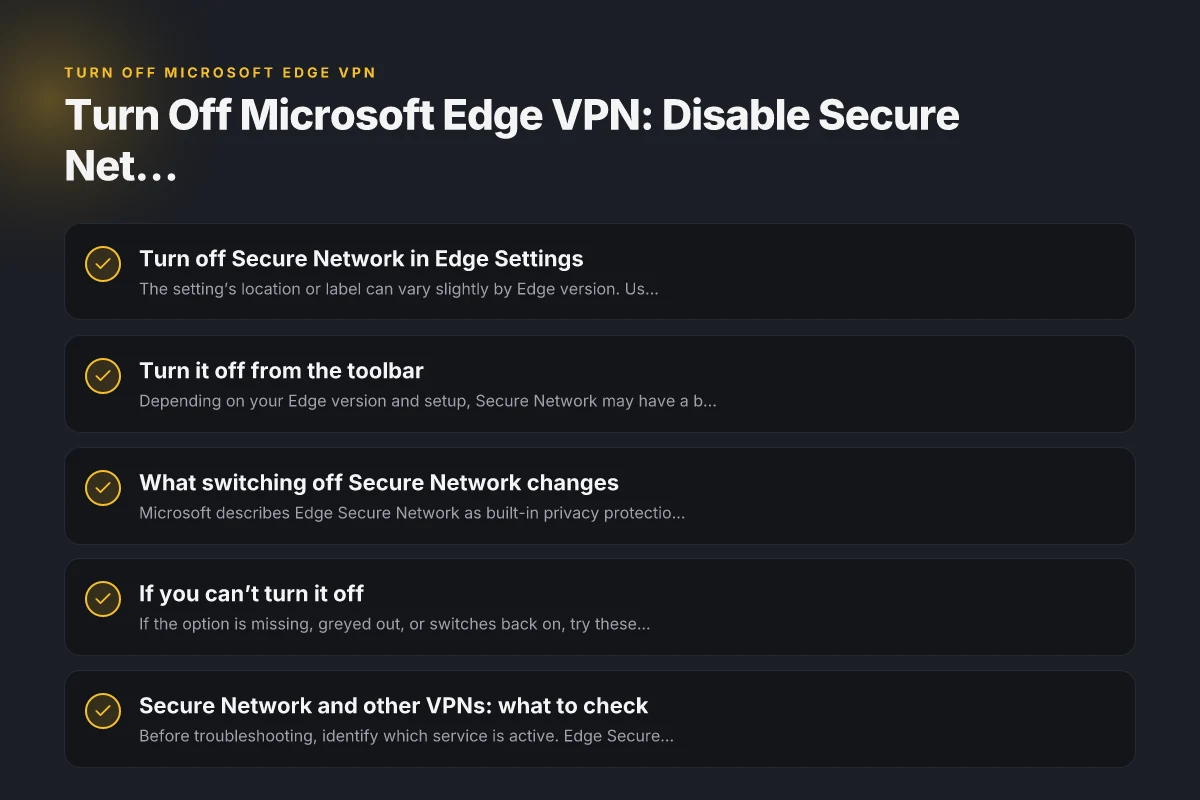
Turn it off from the toolbar
Depending on your Edge version and setup, Secure Network may have a button in the toolbar or in the browser’s menu. Select the Secure Network icon or control and look for an option to turn the feature off. Urban VPN for Edge: How to Install and What to Know
If you do not see a dedicated icon:
- Open the … menu and check for a Secure Network entry.
- Search Edge Settings for Secure Network.
- Check whether the feature is available in your current browser version and account.
The toolbar shortcut may not be available to everyone. Settings is the most reliable place to look for the on/off control.
Decide what to check when Secure Network is off or conflicts with another VPN
| Situation | What to check | Likely effect | Next step | When to ask for help |
|---|---|---|---|---|
| Secure Network is off | Its status in Edge | Edge Secure Network is not active | Leave it off or turn it on in Settings | If the status will not change |
| Another VPN is on | The other VPN’s connection status | VPN behavior may depend on the other app | Test with one VPN at a time | If connections fail |
| Secure Network will not turn off | Management notices or controls | A policy may restrict changes | Check with your organization | On a managed device |
| Setting is missing | Feature availability | Secure Network may not be offered | Check Edge Settings and updates | If it should be available |
| Websites behave differently | Connection and privacy settings | Traffic may use a different route | Test the site with settings unchanged | If the issue continues |
| Privacy is the priority | Available privacy tools | Turning it off changes Secure Network protection | Choose a suitable alternative | If you need help selecting one |
Compiled November 2026; check the provider's site for current details. FortiGate VPN: How It Works, Setup Options, and FortiClient
What switching off Secure Network changes
Microsoft describes Edge Secure Network as built-in privacy protection. It can help protect browsing when enabled, and it may be configured to turn on automatically. Switching it off stops Edge from using that feature for your browsing.
| Your setup | What turning off Secure Network does |
|---|---|
| Edge Secure Network is enabled | Disables Edge’s built-in Secure Network feature |
| A separate VPN app is connected | Usually does not disconnect that app |
| A VPN is configured in Windows or another device setting | Does not necessarily change that connection |
| Your workplace or school manages Edge | The setting may be restricted or controlled by policy |
If your goal is to stop all VPN traffic, check your other VPN apps and your device’s network settings too. Edge’s Secure Network control applies to that Edge feature, not to every VPN connection on your computer.
If you can’t turn it off
If the option is missing, greyed out, or switches back on, try these checks:
- Confirm you are looking in Edge Settings. Secure Network is a browser feature, so check Edge’s privacy settings rather than only the Windows VPN page.
- Search Settings. Use the built-in search for “Secure Network” or “VPN” in case the option has moved.
- Check the signed-in account. Microsoft’s information says Secure Network is enabled through Edge Settings while signed in with a personal Microsoft account. Availability and controls can depend on your setup.
- Check for browser management. On a work or school device, an administrator may manage Edge settings. Contact your IT administrator if the control is locked or unavailable.
- Check for other VPN software. If your connection still appears to use a VPN after switching Secure Network off, another app or device setting may be responsible.
Edge versions and managed configurations can differ, so the exact wording and placement may not match every screen. If you are following instructions for a different version, use Settings search to locate the current control. Cisco AnyConnect VPN: How to Install and Connect
Secure Network and other VPNs: what to check
Before troubleshooting, identify which service is active. Edge Secure Network is not the same thing as a third-party VPN extension, desktop application, or VPN connection configured by your organization.
If you still see a VPN indicator after turning off Secure Network, check the extensions menu for VPN-related extensions and review any VPN app installed on your device. Disable or disconnect only the service you intend to stop. For work or school access, ask your administrator before changing a managed VPN connection.
Recommendation
To turn off Microsoft Edge VPN, disable Microsoft Edge Secure Network in Edge’s Privacy, search, and services settings, then verify that the status shows it is off. If a VPN connection remains active, check separately for a VPN app, extension, operating-system connection, or administrator-managed policy.